Web Design & UX: Building Websites That Attract, Engage, and Convert
In today’s digital world, your website is often the first interaction a potential customer has with your business. Before contacting you, making a purchase, or choosing your service, visitors may judge your brand based on how your website looks, works, and feels.
This is why Web Design and User Experience (UX) have become essential parts of digital marketing.
A beautiful website is valuable, but appearance alone isn’t enough. A successful website should also be easy to navigate, fast, mobile-friendly, accessible, trustworthy, and designed around the needs of its users.
What happens when visitors can’t find what they need?
They may simply leave and choose another business.
Web design and UX work together to make sure your website not only attracts visitors but also gives them a reason to stay, explore, and take action.
What Is Web Design?
Web design is the process of planning and creating the visual and functional aspects of a website.
It includes elements such as:
- Layout
- Colors
- Typography
- Images
- Buttons
- Navigation
- Page structure
- Visual hierarchy
- Responsive design
- Interactive elements
Good web design combines creativity with usability.
The purpose isn’t just to make a website look attractive. It should help users understand the business and find information easily.
What Is User Experience (UX)?
User Experience, commonly called UX, refers to how a person feels and interacts with a website, product, or digital service.
A good UX makes it easy for visitors to:
- Find information
- Navigate between pages
- Understand services
- Complete forms
- Make purchases
- Contact a business
- Perform important actions
UX focuses on the user’s needs rather than simply the company’s preferences.
A website can look impressive but still provide a poor experience if visitors struggle to use it.
Why Are Web Design and UX Important in Digital Marketing?
Digital marketing brings people to your website through channels such as:
- SEO
- Google Ads
- Social media
- Email marketing
- Content marketing
- Direct traffic
But what happens after they arrive?
This is where web design and UX become important.
Imagine spending money on Google Ads and attracting hundreds of visitors, but your website is confusing and difficult to navigate.
You may generate traffic without generating enough conversions.
A strong website can help digital marketing campaigns perform more effectively.
Are you attracting visitors but losing them on your website?
Your website experience could be part of the problem.
Web Design and First Impressions
Visitors can form an initial impression of a website very quickly.
Your website should immediately communicate:
- Who you are

- What you offer
- Who you help
- Why visitors should care
- What they should do next
A clear homepage can reduce confusion.
For example, a digital marketing agency could have a headline such as:
“Your Partner in Digital Growth.”
A supporting paragraph can explain the agency’s services and value.
A clear CTA such as “Get Started” or “Contact Us” can guide visitors toward the next step.
Visual Design and Brand Identity
A website should represent the identity of the business.
Brand elements can include:
- Logo
- Colors
- Fonts
- Images
- Icons
- Graphic style
- Tone of voice
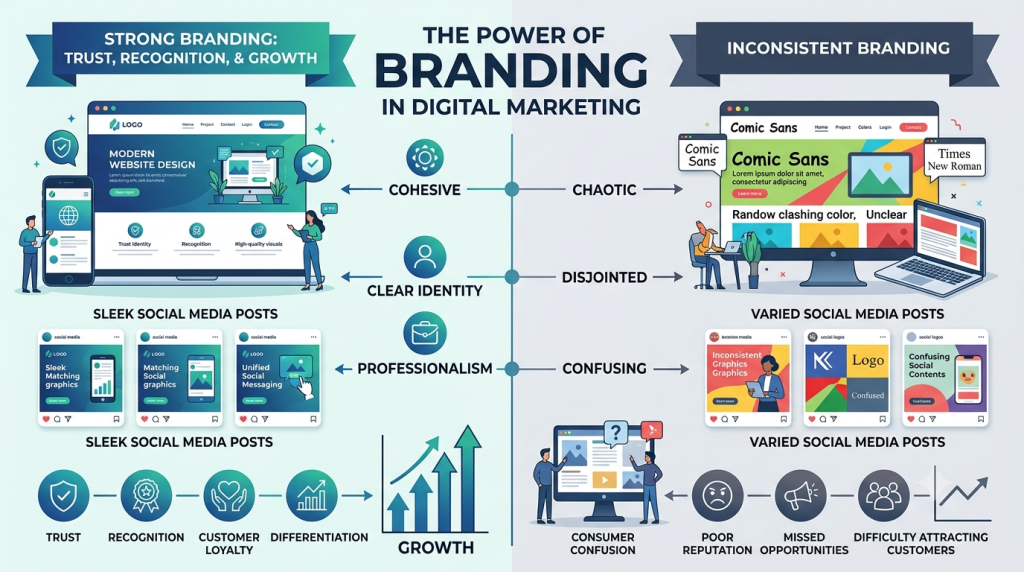
Consistency helps users recognize the brand across different platforms.
For example, if your website uses one visual style while your social media uses a completely different style, the brand may feel inconsistent.
A strong design system can create a more professional appearance.
Choosing the Right Website Color Scheme
Colors influence how a website feels.
Different colors can create different visual impressions.
For example:
- Blue can communicate professionalism and trust.
- Black can create a premium or modern appearance.
- Green can suggest nature, growth, or freshness.
- Orange can create energy and enthusiasm.
- White can create a clean and minimal look.
However, color selection should also consider:
- Brand identity
- Contrast
- Accessibility
- Readability
- Industry
- Audience
Using too many colors can make a website feel cluttered.
A limited and consistent palette often creates a cleaner experience.
Typography in Web Design
Typography affects both appearance and readability.
A website should use fonts that are:
- Easy to read
- Consistent
- Appropriately sized
- Well-spaced
- Suitable for the brand
Headings should clearly stand apart from body text.
Important information can be emphasized through:
- Font size
- Weight
- Spacing
- Position
Good typography helps visitors scan pages quickly.
What Is Visual Hierarchy?
Visual hierarchy refers to how design guides a user’s attention.
Important elements should stand out more than secondary information.
For example:
Main Heading
Supporting description
Call-to-Action Button
Additional information
This hierarchy helps visitors understand what matters first.
Without visual hierarchy, every element may compete for attention.
Website Navigation and UX
Navigation is one of the most important parts of user experience.
Visitors should be able to move through the website without confusion.
A navigation menu might include:
- Home
- About
- Services
- Blog
- Contact
For larger websites, dropdown menus or category structures may be useful.
Navigation should be:
- Clear
- Consistent
- Easy to understand
- Easy to access on mobile
Can visitors find your most important page in a few clicks?
If not, your navigation may need improvement.
Mobile-Friendly Web Design
A modern website must work well on smartphones.
Users may access your website from:
- Smartphones
- Tablets
- Laptops
- Desktop computers
Responsive web design allows the layout to adapt to different screen sizes.
Mobile-friendly design should include:
- Responsive layouts
- Readable text
- Proper button sizes
- Easy navigation
- Optimized images
- Fast loading
- Simple forms
A website that looks excellent on desktop but breaks on mobile can lose potential customers.
Website Speed and User Experience
Website speed directly affects the user experience.
Visitors don’t want to wait for a page to load.
Slow websites can lead to:
- Higher abandonment
- Lower engagement
- Poorer user experience
- Fewer conversions
Businesses can improve performance by:
- Compressing images
- Reducing unnecessary scripts
- Using efficient code
- Improving hosting
- Using caching
- Optimizing media
Speed optimization should focus on real user experience rather than simply achieving a perfect score in a testing tool.
Landing Page Design
Landing pages are commonly used in digital marketing campaigns.
For example, a Google Ads campaign might send visitors to a dedicated landing page instead of the homepage.
A good landing page should have:
- Clear headline
- Relevant message
- Strong value proposition
- Supporting information
- Trust elements
- Simple CTA
- Minimal distractions
The landing page should match the advertisement that brought the visitor there.
For example:
Ad: “Professional SEO Services for Small Businesses”
Landing Page: “SEO Services for Small Businesses”
This consistency helps visitors understand that they’ve arrived at the right place.
Calls-to-Action (CTAs)
A CTA tells visitors what to do next.
Examples include:
- Get Started
- Contact Us
- Book a Consultation
- Request a Quote
- Learn More
- Shop Now
- Download Guide
A CTA should be clear and relevant.
Instead of making visitors guess what to do next, guide them.
CTA placement also matters.
Important actions can appear:
- Above the fold
- After key information
- Near service descriptions
- At the end of a page
Forms and User Experience
Forms are commonly used for lead generation.
A form that asks for too much information may discourage users from completing it.
For example, a basic enquiry form may only require:
- Name
- Phone
- Message
The exact fields should depend on the business and purpose of the form.
Keep forms simple and explain what happens after submission.
Website Content and UX
Design and content should work together.
Even the best visual design cannot compensate for unclear content.
Website copy should answer:
- What does the business offer?
- Who is it for?
- What problem does it solve?
- Why should customers choose it?
- What should visitors do next?
Use short paragraphs, headings, bullet points, and clear language.
Visitors often scan webpages instead of reading every word.
SEO-Friendly Web Design
Web design and SEO are closely connected.
A search-friendly website should have:
- Clear page structure
- Descriptive titles
- Proper headings
- Crawlable navigation
- Mobile-friendly design
- Fast pages
- Useful content
- Internal links
- Search-friendly URLs
SEO brings visitors to your website.
UX helps them have a good experience once they arrive.
Both should be considered during website development.
Website Architecture
Website architecture refers to how pages are organized and connected.
A simple structure might look like:
Home
→ About
→ Services
→ SEO
→ Google Ads
→ Social Media Marketing
→ Web Development
→ Email Marketing
→ Blog
→ Contact
A logical structure helps users understand where they are and where they can go next.
It can also make it easier for search engines to discover important pages.
Accessibility in Web Design
Accessible design helps more people use your website, including users with disabilities.
Accessibility considerations can include:
- Readable text
- Sufficient color contrast
- Descriptive image alternative text
- Keyboard navigation
- Clear labels
- Logical page structure
- Captions for relevant video content
Accessibility isn’t simply a technical requirement.
It’s part of creating a better digital experience.
Building Trust Through Web Design
Visitors need to feel comfortable before sharing information or making a purchase.
A website can build trust through:
- Clear business information
- Customer testimonials
- Case studies
- Reviews
- Professional design
- Contact information
- Secure browsing
- Transparent policies
- Clear service descriptions
A professional-looking website can support credibility, but trust should be backed by genuine business practices.
Testimonials and Social Proof
Testimonials can help visitors understand other customers’ experiences.
A testimonial section could include:
Customer Name
“Working with the team helped us improve our online presence and generate better enquiries.”
Real testimonials are more valuable than generic statements.
Businesses can also use:
- Reviews
- Case studies
- Client logos
- Ratings
- Results
when these are genuine and accurately represented.
Web Design for E-Commerce
E-commerce websites require special attention to UX because customers need to browse products and complete purchases.
Important elements include:
- Product images
- Product descriptions
- Categories
- Search functionality
- Filters
- Pricing
- Availability
- Reviews
- Shopping cart
- Checkout
A complicated checkout process can cause customers to abandon purchases.
The goal should be to make the buying process as clear and straightforward as possible.
UX and Conversion Rate Optimization
Conversion Rate Optimization, or CRO, focuses on improving the percentage of visitors who complete a desired action.
A conversion could be:
- Form submission
- Phone call
- Purchase
- Consultation booking
- Newsletter signup
- Download
UX plays an important role in CRO.
If users can’t understand the offer or find the CTA, conversions may suffer.
Businesses can test:
- Headlines
- CTA text
- Button placement
- Forms
- Page layouts
- Images
- Offers
A/B Testing in Web Design
A/B testing compares different versions of a webpage element to see which performs better.
For example:
Version A:
“Contact Us”
Version B:
“Get a Free Consultation”
If enough relevant data is available, testing can help determine which option produces better results.
Testing should focus on meaningful business outcomes rather than assumptions.
Web Design and Digital Advertising
Paid advertising can generate immediate website traffic.
But the website experience can influence what happens after the click.
For example:
Google Ad → Landing Page → Form → Lead
If the landing page is slow or confusing, the advertising investment may not perform as expected.
This is why advertisers should consider the entire journey rather than focusing only on ad performance.
Web Design and Social Media
Social media often sends users to websites.
For example:
Instagram Post → Website → Service Page → Contact Form
If the website doesn’t match the quality of the social media content, users may lose confidence.
Maintaining consistent:
- Branding
- Visual style
- Messaging
- Offers
can create a smoother experience across channels.
Web Design and Email Marketing
Email marketing can also drive visitors to websites.
A campaign might include a CTA such as:
“Learn More”
The link should take users to a relevant webpage rather than a generic homepage whenever possible.
For example:
Email about SEO → SEO service page
This reduces friction and improves relevance.
User Journey and Website Design
A website should be designed around the user’s journey.
A typical journey might look like:
Discover → Explore → Evaluate → Act → Return
For example:
A visitor discovers your business through Google.
They explore your services.
They evaluate your credibility.
They contact you.
Later, they return for another service.
Understanding this journey helps businesses design better experiences.
Common Web Design Mistakes
Even attractive websites can have UX problems.
1. Too Much Information
Overloading visitors can make pages difficult to understand.
2. Confusing Navigation
Visitors shouldn’t have to search everywhere for important pages.
3. Weak CTAs
Users need clear next steps.
4. Poor Mobile Design
A desktop-only approach can create problems for smartphone users.
5. Slow Loading
Large files and unnecessary elements can affect performance.
6. Inconsistent Branding
Different pages should feel like part of the same website.
7. Difficult Forms
Long forms can discourage enquiries.
8. Poor Readability
Small text or low contrast makes content harder to consume.
9. Too Many Animations
Animations should improve the experience rather than distract users.
10. Ignoring Analytics
Without data, it’s difficult to understand where users struggle.
Should a Website Have Animations?
Animations can make websites more engaging when used carefully.
Examples include:
- Subtle hover effects
- Smooth transitions
- Scroll animations
- Animated icons
- Background movement
However, excessive animation can:
- Distract visitors
- Slow down the website
- Make navigation harder
- Reduce accessibility
The best animations support the content instead of competing with it.
Minimalist Web Design
Minimalist design focuses on simplicity.
It often uses:
- Plenty of whitespace
- Limited colors
- Clear typography
- Simple navigation
- Strong visual hierarchy
Minimalism doesn’t mean the website has to be boring.
It means unnecessary elements are removed so important information can stand out.
How to Improve Your Website UX
Businesses can improve UX by following a simple process.
1. Understand Your Users
Learn what visitors need.
2. Review Website Navigation
Make sure important pages are easy to find.
3. Simplify Content
Remove unnecessary information.
4. Improve Mobile Experience
Test the website on different screen sizes.
5. Improve Speed
Optimize images, scripts, and other resources.
6. Strengthen CTAs
Make important actions obvious.
7. Build Trust
Add genuine testimonials, case studies, and business information.
8. Test and Measure
Use analytics and user feedback to identify opportunities.
UX Research
Good UX decisions should be based on understanding users.
Research methods can include:
- User interviews
- Surveys
- Website analytics
- Heatmaps
- Usability testing
- Customer feedback
- Session analysis
These methods can reveal problems that designers may not notice themselves.
For example, analytics may show that many users leave a particular page before reaching the contact form.
That could indicate a UX or content problem worth investigating.
The Importance of Website Analytics
Website analytics helps businesses understand how visitors interact with their websites.
Useful information can include:
- Traffic sources
- Popular pages
- Landing pages
- Engagement
- Conversion events
- Device usage
- User journeys
This data can help answer questions such as:
Which pages bring the most customers?
Where do visitors leave?
Which traffic sources convert best?
Using data allows businesses to improve websites based on evidence rather than guesswork.
Web Design Trends
Web design continues to evolve.
Some areas businesses should watch include:
Responsive Design
Websites need to work across different devices.
Interactive Experiences
Useful interactions can make websites more engaging.
Video Content
Video can communicate complex ideas quickly.
Micro-Interactions
Small visual responses can make interfaces feel more intuitive.
AI-Assisted Experiences
AI can support features such as search, recommendations, and customer support.
Accessibility
More businesses are focusing on creating websites that can be used by wider audiences.
Performance-Focused Design
Fast and efficient websites are increasingly important.
Trends should be adopted carefully.
A trend isn’t automatically useful just because it is popular.
The Role of AI in Web Design
Artificial intelligence is changing the way websites can be planned and developed.
AI tools can help with:
- Content ideas
- Design inspiration
- Layout concepts
- Image creation
- Code assistance
- Personalization
- Chatbots
- Data analysis
However, human involvement remains important.
Designers and developers need to consider:
- Brand identity
- User needs
- Accessibility
- Business goals
- Security
- Performance
AI should support the process rather than replace strategic thinking.
Web Design for Digital Marketing Agencies
A digital marketing agency’s website should demonstrate its expertise.
For an agency like IFFECTUS, the website can showcase services such as:
- SEO
- Social Media Marketing
- Google Ads
- Email Marketing
- Web Development
- Graphic Design
Each service should have a clear page explaining:
- What the service means
- Why it matters
- How it works
- What the agency provides
- Why businesses should consider the service
- How to get started
The website itself becomes an example of the agency’s digital capabilities.
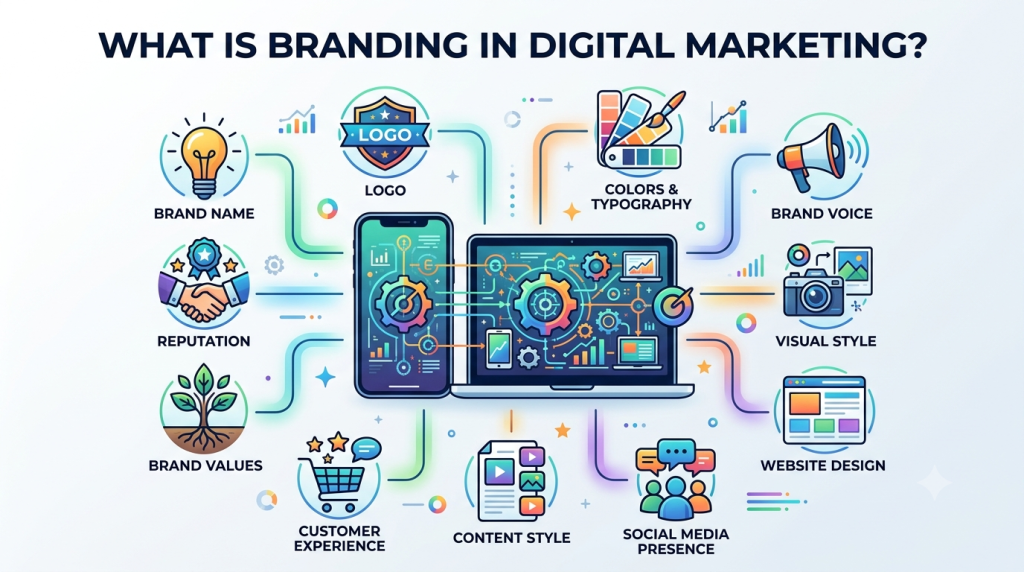
The Connection Between Web Design and Branding
Your website should feel like your brand.
Branding and web design work together through:
Logo + Colors + Typography + Images + Messaging + User Experience
A consistent identity can make a business easier to recognize.
For example, if your social media, advertisements, website, and emails all use consistent branding, customers can more easily connect these touchpoints to the same company.
How Web Design Supports Business Growth
A strong website can support several areas of digital marketing.
More Effective SEO
A well-structured website can provide a better foundation for organic search.
Better Advertising Experience
Relevant landing pages can improve the visitor journey.
Stronger Brand Image
Professional design can strengthen brand presentation.
Better Conversions
Clear messaging and CTAs can encourage action.
Improved Customer Experience
Easy navigation reduces frustration.
Greater Credibility
Useful information and professional presentation can increase trust.
Website Redesign: When Is It Time?
Sometimes a website doesn’t need minor improvements—it needs a complete redesign.
Signs may include:
- Outdated design
- Poor mobile experience
- Slow performance
- Difficult navigation
- Low conversions
- Broken pages
- Inconsistent branding
- Outdated content
- Poor accessibility
Before redesigning, businesses should analyze existing data to understand what works and what doesn’t.
A redesign should solve problems, not simply change colors and images.
A Simple Web Design and UX Checklist
Before launching a website, review:
Design
- Is the branding consistent?
- Is the layout clean?
- Are colors readable?
- Is typography easy to understand?
UX
- Is navigation simple?
- Can users find important information?
- Are CTAs clear?
- Are forms easy to complete?
Mobile
- Does the website work properly on smartphones?
- Are buttons easy to tap?
- Is text readable?
Performance
- Are images optimized?
- Are unnecessary scripts removed?
- Are pages loading efficiently?
SEO
- Are titles and headings descriptive?
- Are pages logically organized?
- Are internal links useful?
- Can search engines discover important content?
Trust
- Is business information clear?
- Are testimonials genuine?
- Are contact details easy to find?
Final Thoughts
Web Design and UX are essential components of modern digital marketing.
A website isn’t simply an online brochure. It is often the place where marketing attention turns into real business action.
SEO may bring visitors.
Google Ads may bring clicks.
Social media may create interest.
Email marketing may bring people back.
But your website needs to provide the experience that connects these marketing activities to your business goals.
A successful website combines:
Good Design + Strong UX + Clear Content + Fast Performance + Mobile Responsiveness + SEO + Trust + Conversion Optimization
The goal isn’t to create the most complicated website.
The goal is to create a website that makes it easy for the right people to understand your business and take the next step.
Does your website make things easier for your customers?
If not, it’s time to rethink the experience.
At IFFECTUS, web design and development can work alongside SEO, Social Media Marketing, Google Ads, Email Marketing, Content Marketing, and Analytics to create a stronger digital presence for businesses.
Design for people. Optimize for performance. Build for growth.